
Speed to Lead: Why High-Value Prospects Disappear (And How to Fix Your Intake Workflow)
Estimated Reading Time: 8 minutes
Key Takeaways
- First contact secures the client: Over 78% of service clients sign with the provider that responds first, turning response latency into an expensive revenue drain.
- The 5-minute qualification threshold: Contacting an inbound lead within five minutes increases lead qualification odds by 21 times compared to waiting thirty minutes.
- Structure must precede AI automation: Installing chatbots onto disordered intake processes increases abandonment; firms must establish clean operational workflows before scaling tech.
- Separate logistics from advisory work: Automate data collection, qualification, and calendar booking immediately, while protecting human interaction for strategic consultations and trust-building.
Table of Contents
- Why Do Your Leads Slip Away Before They Ever Talk to You?
- How Much Revenue Do You Lose by Taking Hours to Reply?
- Why Does Adding an AI Chatbot to a Broken Process Only Make Things Worse?
- The 4-Step Intake Diagnostic Framework
- Which Parts of Your Intake Should You Automate, and Which Should Stay Human?
- Frequently Asked Questions
- Next Step: Request Your Digital Presence Audit
You spend thousands on Google Ads, search rankings, and glowing reviews. The phone rings, and form submissions land in your inbox. Yet, your booked calendar looks empty, and your sales pipeline stalls.
Most business owners blame the ads. They assume the traffic was cold or the leads were bad. But that diagnosis is usually wrong.
The real problem happens after the click. In high-ticket services, clients do not wait around. They slip away long before your first consultation because of broken intake mechanics.
This breakdown comes down to one core metric: speed to lead.
Speed to lead is the time it takes your business to respond to a new inquiry. It is the single operational factor that decides if a prospect converts into revenue or pays your biggest competitor.
Before you buy more ads or sign up for complex software, you must eliminate customer response latency. First comes structure. Then comes automation.
Why Do Your Leads Slip Away Before They Ever Talk to You?
Imagine a homeowner with a burst pipe or a client facing an urgent tax audit. They do not browse casually. They are in distress, looking for immediate help.
When someone needs a specialized service, their buying intent hits an emotional peak. They search on Google, scan your Google Business Profile, and tap your website link.
That is where the invisible leaks begin:
- Mobile friction kills interest: If your page takes five seconds to load instead of one, bounce rates surge by 90%. Every extra second of delay wipes out qualified traffic before visitors even see your phone number.
- Complex intake forms: Asking a mobile user to fill out ten detailed fields creates instant hesitation. High-intent visitors abandon the page and tap the next search result.
- Silence creates doubt: Submitting an inquiry relieves the prospect’s tension. But if no confirmation arrives right away, anxiety returns. The prospect re-opens the search tab to find someone else.
Then comes the weekend and evening black hole.
Over 50% of service inquiries arrive outside normal business hours. When a potential client reaches out on a Friday evening and hears nothing until Monday afternoon, that lead sits idle for over 60 hours. By Monday, their urgency has evaporated, or another firm has already booked them.
Finally, most growing service firms suffer from the fragmented inbox trap. New inquiries land in five different places:
- Website contact forms routed to a generic email
- WhatsApp Business messages on an office phone
- Direct messages on social channels
- Missed call voicemails
With no central inbox, inquiries get lost. Staff answer whichever screen is closest. Your inbound lead conversion turns into a game of luck.
How Much Revenue Do You Lose by Taking Hours to Reply?
Response latency acts as a direct tax on your top-line revenue. The longer you wait to answer, the colder the prospect becomes.
Data shows that contact speed creates an almost unbeatable sales advantage:
- Contacting an inbound lead within 5 minutes makes you 21 times more likely to qualify them compared to waiting 30 minutes.
- Calling within that initial 5-minute window increases your odds of reaching a live lead by 100 times.
- A staggering 78% of customers buy from the first provider who responds.
- In local search, 72% of buyers evaluate three or fewer options before booking.
The firm that replies first does more than introduce itself. It anchors the relationship, sets the standard, and takes the prospect off the market.
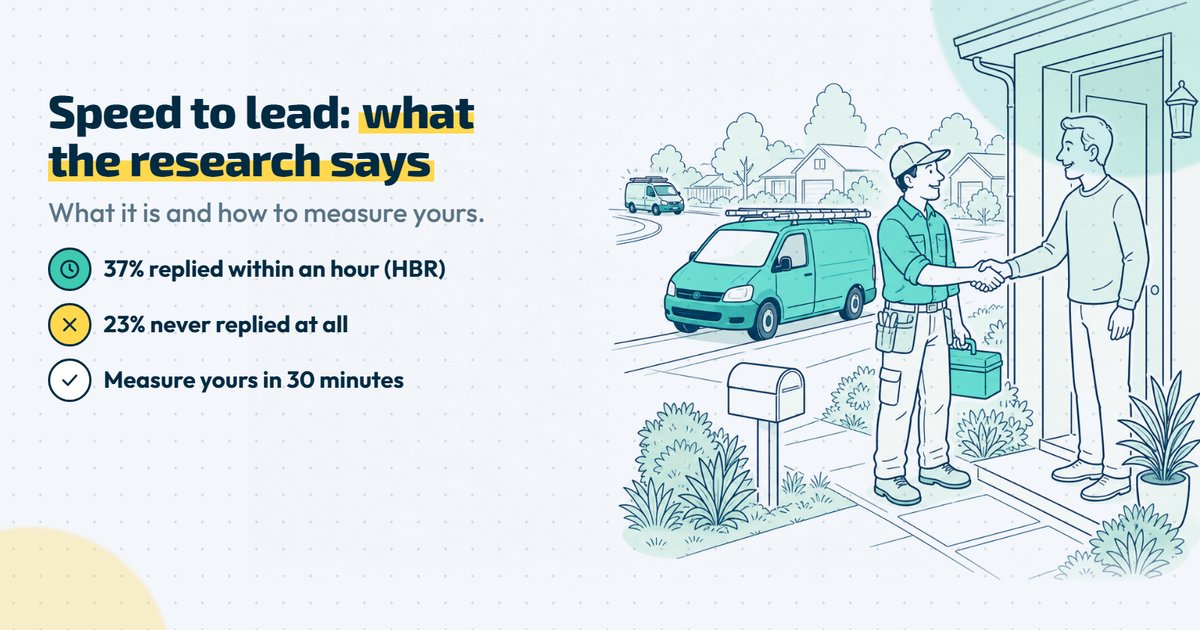
Yet, despite this speed to lead benchmark, the typical business responds at a snail’s pace. A landmark study published by the Harvard Business Review audited over 2,200 firms and discovered that the average response time was 42 hours. Nearly a quarter of all inquiries were never answered at all.
Let us look at what this delay costs an actual business. Consider a boutique legal practice, consulting firm, or private clinic:
- You generate 40 qualified inquiries per month.
- Your average client lifetime value (LTV) is €1,500.
- Your total monthly pipeline value sits at €60,000 (€720,000 annually).
When response times drag out over several hours, your reach rate plunges. You fail to connect with roughly 35% of those warm opportunities simply because you were too slow. That delay costs you 14 paying clients every single month.
Over twelve months, that latency tax totals €252,000 in uncaptured revenue. You did not lose those clients because of your pricing, your credentials, or your work quality. You lost them because your front door was locked when they knocked.
Why Does Adding an AI Chatbot to a Broken Process Only Make Things Worse?
When business owners realize they are losing leads to delays, they often rush to find a quick tech fix. They purchase an off-the-shelf artificial intelligence chatbot, connect it with messy automations, and place it on their homepage.
The idea sounds great on paper: instant answers 24/7 without adding payroll.
In practice, automating an unmapped workflow creates chaos.
Research shows that 50% of consumers feel frustrated by chatbot interactions, and 30% take their business to a competitor after a single poor bot experience. Worse, 87% of buyers demand direct access to a human agent when dealing with automated systems.
When an automated bot lacks structure, it creates three dangerous problems:
- The containment trap: The bot gives shallow answers to general questions, but it cannot verify calendar availability or confirm service scope. The prospect remains unbooked and frustrated.
- Repetition fatigue: The bot collects case details, but fails to pass that data to your team. When an advisor finally calls, the client has to repeat their entire story from scratch. High-value clients view this disorganization as amateur.
- Brand erosion: High-ticket clients look for empathy, clarity, and authority. A robotic or generic bot destroys trust within seconds.
At Neurohain, we follow a strict operational principle rooted in data engineering:
«Primero orden. Luego IA. Luego escala.» (First order. Then AI. Then scale).
Our founder, Amparo Iglesias Gordillo, built her career designing enterprise data systems. In data engineering, running machine learning models on uncleaned, disordered records produces one outcome: garbage in, automated garbage out.
The exact same rule applies to your client intake. Software is an amplifier, not a cure for disorganization.
If your core steps are chaotic, adding artificial intelligence will only help you lose clients faster. Before you turn on an automated tool, you must map the path a prospect takes from stranger to paying client.
The 4-Step Intake Diagnostic Framework
You cannot fix a pipeline leak if you cannot see it.
To turn cold inquiries into booked consultations, you must run a thorough service business intake audit. This four-step framework reveals where your prospects get stuck, where time gets wasted, and where your money disappears.
[ Step 1: Assets & Friction ] ──▶ [ Step 2: Real Latency ]
               │                                │
               ▼                                ▼
[ Step 3: Lost Touchpoints  ] ──▶ [ Step 4: Director Load ]
Step 1: Audit the Visibility and Friction of Your Digital Assets
Start at the front door. Look at your digital touchpoints through the eyes of a stressed client using a smartphone.
Open your website on a mobile device using a standard 4G connection. Check your Largest Contentful Paint (LCP), which measures when the main page content has loaded. If your mobile page takes longer than 2.5 seconds to load, you are already losing high-intent buyers.
Next, examine your intake form:
- Count the form fields. If you ask for more than four fields on the first screen, remove the extras.
- Check the input types. Phone fields should open a number pad, not a full text keyboard.
- Test your click-to-call buttons. Does tapping your phone number dial instantly, or does it trigger an error?
Every extra form field feels like heavy work. Keep the initial inquiry simple. You can collect detailed project files and background notes after the prospect books a time on your calendar.
Step 2: Calculate Your Real Response Latency
Most service firm leaders believe their team answers leads quickly. When asked, owners usually claim they reply within an hour.
Mystery shopping audits reveal a very different reality. Most businesses actually take 18 to 48 hours to reply.
To uncover your true lead response time, measure elapsed clock time. Do not count only open office hours.
If a prospect sends an inquiry on Friday at 7:00 PM and you answer on Monday at 10:00 AM, your response latency is not «one hour into the workday.» It is 63 hours of pure silence.
Track the last 30 inquiries across your business:
- Record the exact minute the lead entered your system.
- Record the exact minute a team member sent a personalized reply or picked up the phone.
- Calculate the real median time across nights, mornings, and weekends.
Compare your score to the established speed to lead benchmark of five minutes. If your actual elapsed time spans several hours, you have identified your main conversion leak.
Step 3: Map Your Lost Touchpoints
High-value prospects reach out across multiple channels. Without a single operational system, warm inquiries drop through the cracks every week.
Audit every channel where a prospect can leave a message:
- Main website contact forms and landing page forms.
- Google Business Profile direct messages and call logs.
- Direct messages on social profiles (LinkedIn, Instagram, Facebook).
- WhatsApp Business accounts installed on individual team phones.
- Voicemails left on office desk phones after hours.
When these channels are separate, staff only check the apps right in front of them. Unread alerts sit buried in secondary email inboxes or spam folders. To fix this leakage, route every inquiry into a single centralized operational inbox. When every message lands in one place, your team can see, assign, and answer leads without guessing.
Step 4: Quantify the Administrative Load on Leadership
In many boutique firms, the most expensive staff handle the lowest-value tasks. Partners, clinic directors, and senior advisors often spend hours sending basic intake emails. They play endless games of phone tag, confirm meeting locations, and reschedule missed calls.
Calculate how much senior time gets burned each week:
- Track how many hours your leaders spend coordinating calendars.
- Multiply those hours by their billable hourly rate.
- Add the cost of delayed work on existing client accounts.
If a senior partner billing €250 per hour spends six hours a week chasing intake messages, you are spending €1,500 every week on basic scheduling. Senior practitioners should focus on delivering expert advice. The logistical steps of booking and intake should run on an automated backbone.
Which Parts of Your Intake Should You Automate, and Which Should Stay Human?
Automating your entire intake is a mistake. Leaving it completely manual is just as harmful.
To improve your inbound lead conversion, draw a clear line between logistics and advisory work. Automate the friction out of booking, but keep the consultation personal and human.
                    INBOUND INQUIRY
                           │
       [ AUTOMATED - SPEED & LOGISTICS LAYER ]
       ├── Instant Receipt & Clear Expectations (< 60s)
       ├── Structural Qualification (Budget, Location, Scope)
       └── Direct Calendar Self-Booking (Qualified Leads)
                           │
                           ▼
          [ HUMAN - ADVISORY & TRUST LAYER ]
          ├── Nuanced Diagnostic / Strategic Meeting
          ├── High-Stakes Proposal Consultations
          └── Tailored Relationship & Trust Building
What to Automate Immediately (Administrative Foundations)
Use automation to remove delay, gather facts, and secure calendar slots:
- Instant context-rich confirmation: Never use a dead-end message like «We received your email and will be in touch soon.» That does not lower customer anxiety. Send an instant confirmation that explains your exact process, lists working hours, and shares a link to your case studies.
- Basic triage and fit qualification: Use short questions to verify fit before booking. Check project budget, geographic location, or problem type. This ensures your team only spends time with qualified clients.
- Direct calendar self-scheduling: Once a prospect passes basic qualification, let them pick a time on your calendar right away. Self-scheduling removes days of back-and-forth emails and locks in the meeting while intent is high.
What Must Remain Strictly Human (Advisory & Value Delivery)
Never let an automated system replace genuine professional expertise:
- Diagnostic and strategic reviews: High-ticket clients want to speak with an experienced authority. Only 27% of consumers want to try a chatbot again after a bad experience, and 87% demand human access for complex problems. Keep your strategic case reviews completely human.
- High-stakes proposals: Presenting financial numbers, legal strategies, or medical plans requires deep empathy. A software script cannot read body language or resolve personal objections.
- Relationship and trust building: In high-value professional services, clients buy trust and certainty. Software should set the meeting, but your team must build the bond.
Use a simple golden rule: Automate the logistics of connection, but never automate the exercise of expertise.
Next Step: Request Your Digital Presence Audit
Improving your conversion rate starts with measuring your real-world performance.
Most business leaders rely on intuition instead of hard data. They assume their team responds quickly, their website runs smoothly, and their marketing campaigns attract the right crowd.
Yet, customer response latency quietly eats away at profit margins every single week. Before spending more money on paid ads or signing contracts for complex software, get an objective view of your intake health.
Claim your Free Digital Presence Audit (Auditoría Completa) from Neurohain. Our team will complete a full diagnostic review of your inbound sales pipeline within five business days:
- A complete mobile performance and friction check across your core web pages.
- A health review of your Google Business Profile and local search visibility.
- A real-world audit of your speed to lead and inquiry routing.
- A clear, written roadmap to stop pipeline leaks before you invest another euro into paid campaigns.
Fix the foundation first. Stop the leaks in your intake engine and turn your marketing budget into dependable revenue.
Frequently Asked Questions
What is the optimal response time for a high-ticket professional service?
The gold standard for the initial touchpoint is under five minutes.
Calling or texting a prospect within five minutes makes you 21 times more likely to qualify them than waiting half an hour.
For high-ticket services, this first touchpoint does not need to be a long strategy call. It can be an automated, personalized text or email confirming receipt and offering a direct booking link.
For the actual human consultation, getting an advisor on the phone within one hour during standard business hours keeps qualification rates seven times higher than waiting two hours.
How can a small team respond instantly after hours without being available 24/7?
You do not need staff answering office phones at midnight. You need an organized asynchronous intake workflow.
Set up an automated routing flow that triggers whenever an inquiry arrives outside normal business hours. The system sends an immediate confirmation message:
- It acknowledges their specific problem.
- It asks three simple questions to confirm eligibility.
- It shows a live booking calendar with available time slots for the upcoming week.
This setup gives the prospect immediate progress while your office is closed. They lock in an appointment on their screen, which takes them off the market before they look up your competitors.
Optimize Your Intake Process Today
Analyze your sales funnel and stop losing potential clients with a personalized strategy session.